
Made for You
A Workflow Orchestration Platform for Audio and Music Content
Afecto helps teams and power users move from ad-hoc scripts locked to a single project to production-grade workflows. Prototype quickly in a visual node editor and keep control over sensitive assets while applying ethical and sustainable practices from day one with (or without) AI.
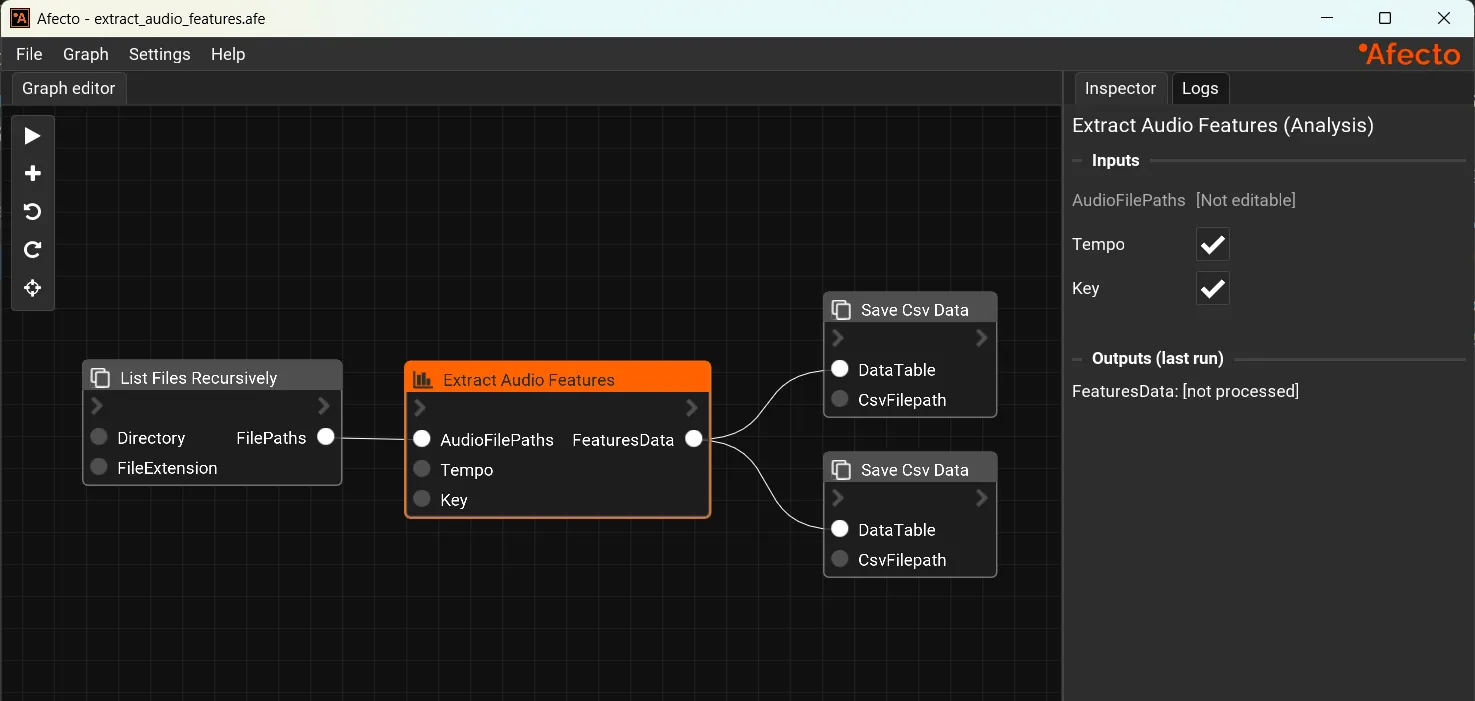
Create Voice
Voice Workflows
Build, refine, and automate voice pipelines with clear control over models, data, and outputs.
Analyze Audio
Analysis Workflows
Extract insights from large audio datasets, inspect patterns, and create reusable analysis graphs for repeatable quality checks.
Shape Output
Processing Workflows
Chain transforms, cleanup stages, and enhancement pipelines in one visual system for consistent outputs with in-editor audio preview.
Afecto Features
Visual Node Editor
Intuitive drag-and-drop interface to connect and arrange processing blocks. Full undo/redo and copy/paste support for fast iteration.
Seamless Integration
Fits perfectly into your existing ecosystem. Integrate with Reaper, Wwise, FMOD, Unity, Unreal Engine, and other industry-leading tools. Connect to AI tools via MCP (optional).
Command-Line Power
Run graphs from scripts and servers for batch processing, continuous integration, and automated content creation. Configure global inputs and outputs for easier integration.
Built-in Node Library
Over 50 pre-built nodes covering audio processing, analysis, synthesis, and AI-powered audio tasks.
Starter Graphs
10+ pre-authored graphs for common audio tasks. Use as-is or customize to fit your specific needs.
Workflow Creation
Easily design, reuse, and share powerful and flexible audio workflows for your entire career with unprecedented ease and flexibility.
Fully Extensible with Python
Easily create custom nodes using Python. All built-in nodes are open-source under MIT license.
Cross-Platform Ready
Available for Windows and macOS. Linux support coming in the future based on community interest.
Vastly Extensible
Nodes can be modified and easily extended with Python
These are some examples of built-in nodes released under MIT license.
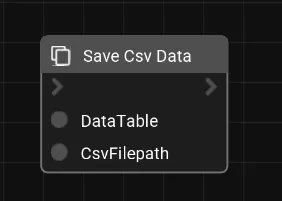
def save_csv_data(data_table: DataFrame, csv_filepath: str) -> None:
	"""Save data to CSV (comma separated value) file

	Parameters
	----------
	data_table : DataFrame
		The data table to save
	csv_filepath : str
		The filepath of the CSV file to save
	"""
	from pathlib import Path

	csv_file_path = Path(csv_filepath)
	assert csv_file_path.suffix == ".csv", "File must be a file with extension .csv"

	data_table.to_csv(csv_filepath, index=False)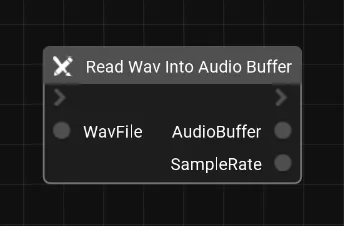
def read_wav_into_audio_buffer(wav_file: str) -> tuple[ndarray, int]:
	"""Read a WAV file into a numpy audio buffer using scipy.

	Parameters
	----------
	wav_file : str
		The path to the WAV file to read.

	Returns
	-------
	audio_buffer : ndarray
		The audio data as a numpy array. For mono audio the shape is (num_samples,), for stereo the shape is (num_samples, num_channels).
	sample_rate : int
		The sample rate of the audio file in Hz.
	"""
	from scipy.io import wavfile

	sample_rate, audio_buffer = wavfile.read(wav_file)
	return (audio_buffer, sample_rate)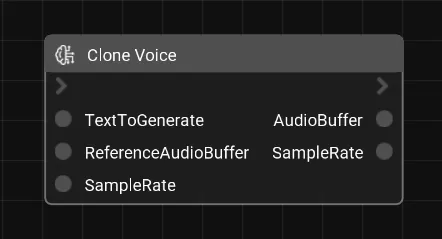
def clone_voice(text_to_generate: str, reference_audio_buffer: ndarray, sample_rate: int) -> tuple[ndarray, int]:
	"""Synthesize speech that clones the voice from an input audio buffer using Pocket TTS.

	The input audio buffer is used as a voice reference for cloning. The model generates new speech matching the voice characteristics of the reference audio.

	Parameters
	----------
	text_to_generate : str
		The text to synthesize as speech.
	reference_audio_buffer : ndarray
		The reference voice audio data as a numpy array (scipy format).
		For mono audio the shape is (num_samples,), for stereo (num_samples, num_channels).
	sample_rate : int
		The sample rate of the input audio data in Hz.

	Returns
	-------
	audio_buffer : ndarray
		The generated audio data as a numpy float32 array with shape (num_samples,).
	sample_rate : int
		The sample rate of the generated audio in Hz (typically 24000).
	"""
	import scipy.io.wavfile
	from pocket_tts import TTSModel
	import tempfile, os

	# Write input buffer to a temporary WAV file for pocket-tts ingestion
	tmp_wav = os.path.join(tempfile.gettempdir(), "_tts_clone_input.wav")
	scipy.io.wavfile.write(tmp_wav, sample_rate, reference_audio_buffer)
	# Load model, condition on the reference voice, and generate
	model = TTSModel.load_model()
	voice_state = model.get_state_for_audio_prompt(tmp_wav)
	audio_buffer = model.generate_audio(voice_state, text_to_generate)

	# Audio is a 1D torch tensor containing PCM data
	return (audio_buffer.numpy(), model.sample_rate)
Feature Comparison
Data privacy
Afecto: 100% private
ElevenLabs / Other APIs: Your data on others servers
Processing latency
Afecto: 100% local (hardware-bound) or cloud (optional).
ElevenLabs / Other APIs: Cloud (availability-bound)
Cost / OPEX
Afecto: Zero cost/generation
ElevenLabs / Other APIs: $$$ based on usage and rate limits
End-to-end workflows
Afecto: Native support
ElevenLabs / Other APIs: Requires additional setup
FAQ
Answers to some of your questions
Take Absolute Control of Your Audio and Music Pipeline Now
Sign up for the Alpha/Beta!
Get latest updates about Afecto, news and more.